On the Help menu, click DBDOC License or on the Tools menu, click DBDOC License....
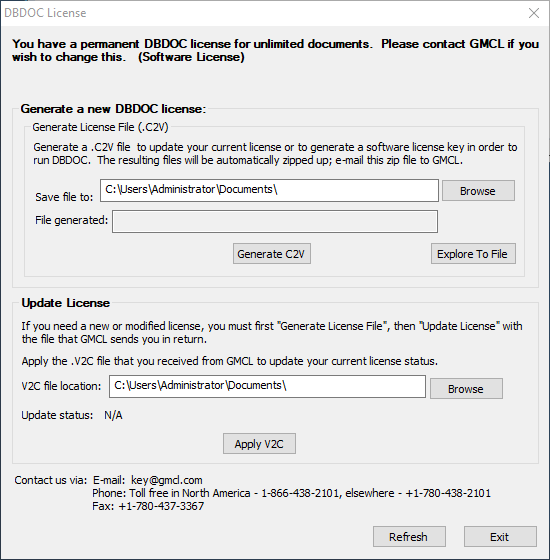
Adding or changing license information
See Licensing DBDOC.
See also
- Refreshing BuildPlus
- Using command line options
- Running scheduled builds
- Using a dongle
- Customizing the BuildPlus user interface
- Running BuildPlus
- Exiting BuildPlus
- Opening BuildPlus
- Suppressing progress bars (Global option)
- WinMerge Open option (Global option)
- Sibling Projects (Global option)